A free SSH and SFTP client for macOS and Linux
Last updated
MyXterm is a free, open-source terminal, SSH client and SFTP client for the Mac and Linux, and Windows too. It keeps your saved hosts, jump hosts, tunnels, serial consoles and file transfers in one keyboard-first app, so you don't need a Windows tool under Wine or five separate utilities.
PRE-ALPHA No signed release. Unsigned preview builds for some platforms, or build from source. Developed and run on macOS (Apple silicon) Linux builds in CI, not hand-tested
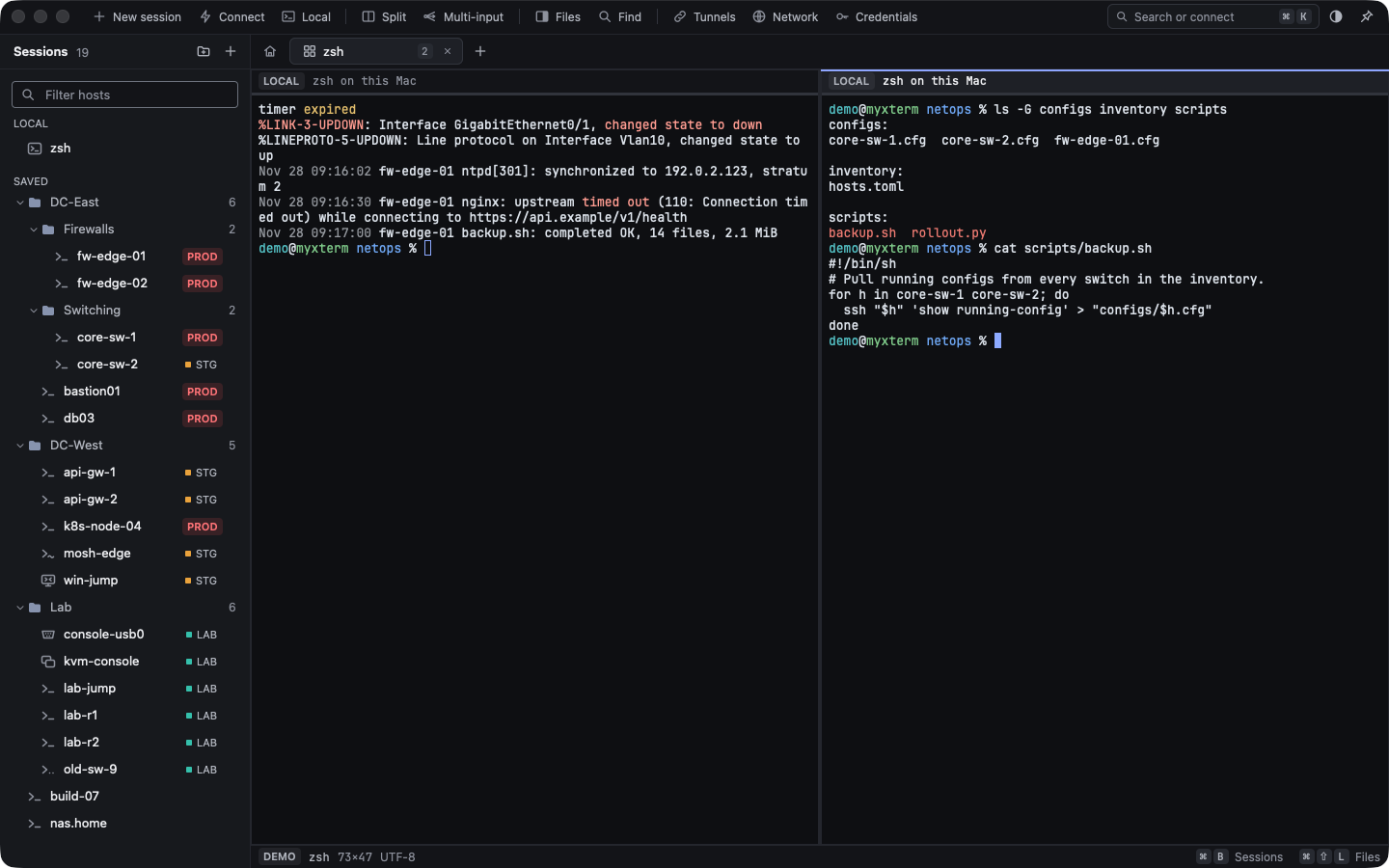
SSH client
- Use your system OpenSSH (your
~/.ssh/config, agent and keys work as they do in a terminal), or the built-in SSH engine with sign-in inside the pane: password, keyboard-interactive and MFA, keys, agent. - Host-key card with the fingerprint on first connection; a changed host key is a hard stop.
- Jump hosts (ProxyJump chains), shown as a hop chain on host cards and in the status bar.
- Reconnect in the same pane after a drop, with the scrollback kept.
- A saved-session store designed for 10,000+ hosts, with folders, environments (PROD, staging, lab), favourites, search and import from
~/.ssh/config, PuTTY, SecureCRT, Royal TS and MobaXterm.
SFTP client
- The Files dock opens on SSH tabs over the same connection: no second sign-in, and it always shows the host it is bound to.
- A two-panel Commander (this computer and the server) with Total Commander keys.
- Verified transfers: a temporary file, an atomic rename and an optional SHA-256 check before a transfer counts as done; an existing file is never overwritten silently.
Terminal and tools
- GPU-rendered terminal with tabs and split panes, your own shells (zsh, bash, fish, nushell, pwsh), scrollback search and a paste guard.
- SSH tunnels (local, remote, SOCKS) that listen on loopback by default.
- Serial consoles with vendor presets for network gear, Telnet (marked unencrypted) and mosh.
- RDP and VNC sessions open in the system client (on Linux: Remmina, FreeRDP or
vncviewer). - Network toolbox: ping, traceroute, DNS lookup, TCP port check, Wake-on-LAN.
Made for each platform
macOS
Native menu bar, ⌘ shortcuts, the macOS Keychain for secrets, mosh from Homebrew or MacPorts found even when the app starts with a minimal PATH. Developed and run on Apple silicon; Intel Macs not checked yet.
Linux
Wayland and X11, Ctrl+Shift shortcuts so plain Ctrl keys stay with the shell, Secret Service for secrets, serial ports with a dialout hint. Builds in CI; hands-on testing still to do, and reports are welcome.
Secrets are only ever stored in the OS keychain, never in a file. There are no accounts and no telemetry, and it works offline.